Kanban swimlanes
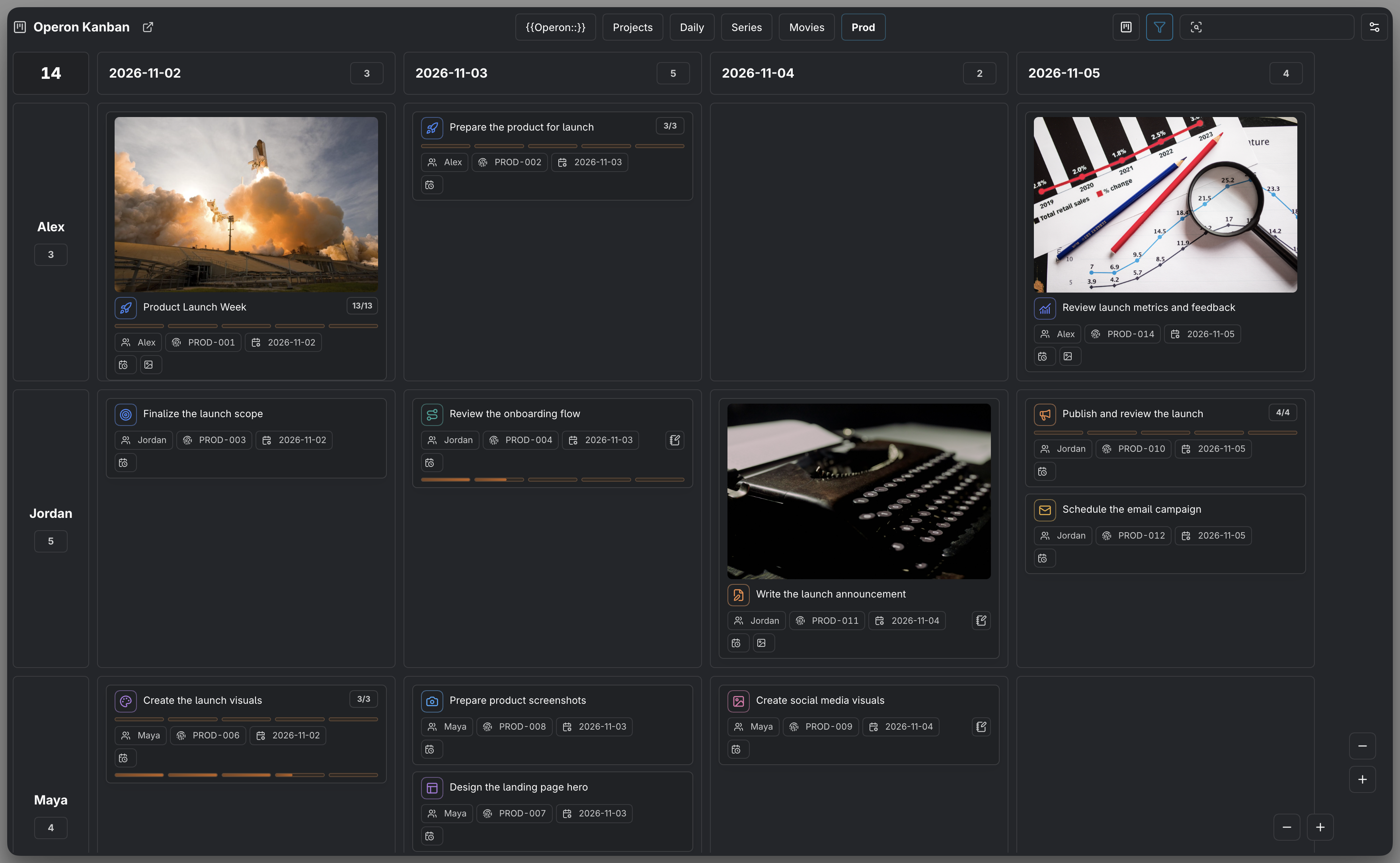
Swimlanes are the horizontal rows of a Kanban board. Columns and rows each use a property, and a card appears where its values match both. Status × Priority is one possible layout; Assignees × Tags or Number × Priority can work just as well.
MEDIA-DOCS-074-1: A Kanban with status columns across the top and priority swimlanes down the side.
Columns and lanes
Choose the two properties independently in Kanban presets. Either direction can use Status, a suitable built-in property, or a supported custom or vault property. Text, Number, Date, Datetime, Checkbox, and List are supported; automatic or internal fields are not ordinary editable axes.
The same property and even the same value can be selected on both axes. For a single-valued property such as priority, only matching intersections can hold tasks: Priority A × Priority B stays empty. For a list property, a task can match several intersections.
Sorting is applied independently inside each cell. Board sorting is the fallback; a Status column can have its own override. A Status row does not turn that override into a row-specific rule. See Kanban manual order.
Choosing the swimlane property
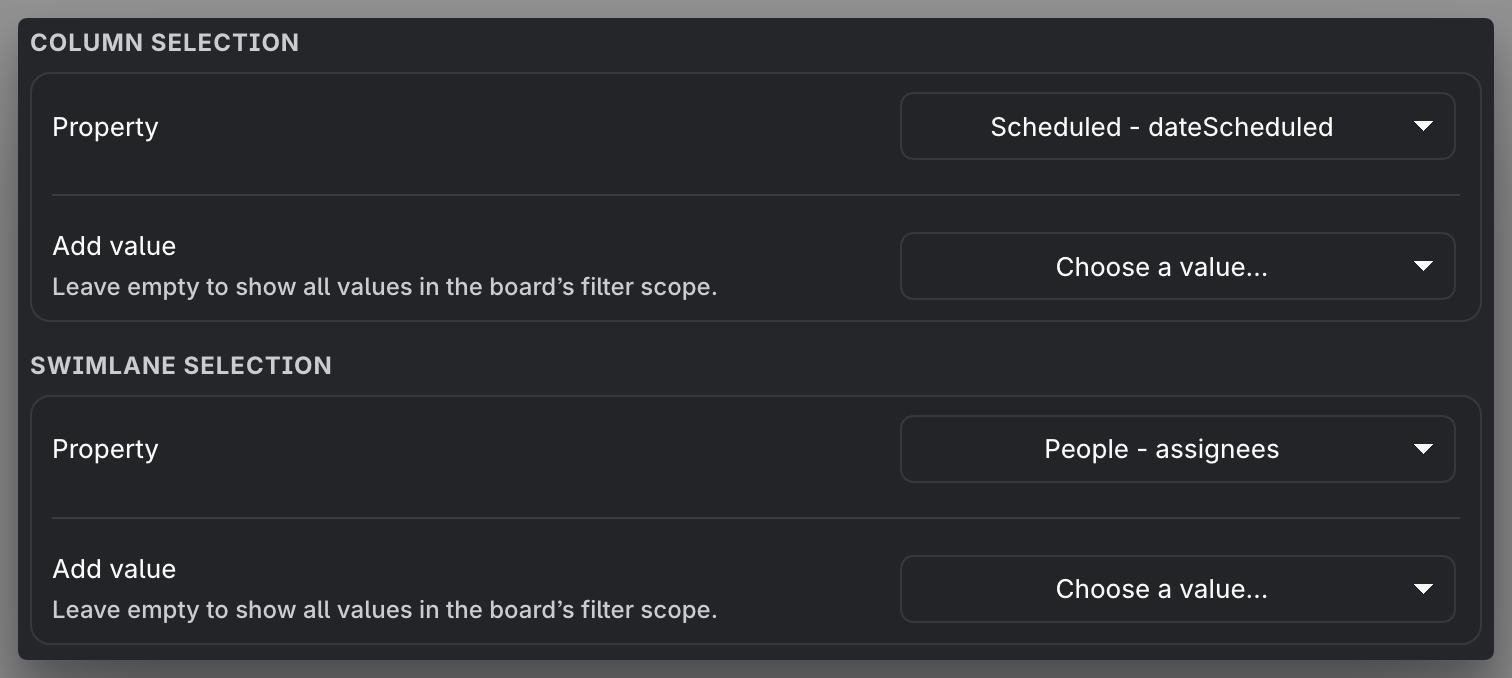
In the preset's Swimlane selection, open Property and choose a field. Choose No swimlanes, at the top of the picker, for a classic columns-only board. The extra row settings then disappear. Selecting the same property again restores its previous value selections and order; choosing a different property starts with all values.
| Example property | Rows represent |
|---|---|
| Status | The chosen pipeline's statuses in their configured order |
| Priority | Priorities, or the subset you select |
| Tags, Contexts, or Assignees | Individual list members |
| Due date or Scheduled date | Dates used by tasks |
| A custom or vault property | Values of the selected supported field |
For properties other than Status, Add value selects the headings you want. Leave the selection empty to use all values in the board's filter scope. Explicit selections can keep an empty row available for planning and assigning tasks. The picker and All behavior are explained in Kanban presets.
MEDIA-DOCS-074-2: The Swimlane field dropdown in a Kanban preset's quick settings.
List-valued axes and card moves
Tags, Contexts, Assignees, and custom or vault List fields can hold multiple members. One task can appear in every matching cell without becoming several tasks.
| Move | Effect |
|---|---|
| To a different single-valued field value | Replace that field's value with the target value |
From book to action on a Tags axis |
Add action and keep book and other tags |
| To a list member already present | Do not add it again |
| From No value to a list member | Add the member to the empty list |
| From a populated list to No value | Reject the move; clear the list in its field editor instead |
| Within the same cell | Change manual order only |
Both axes are applied together. A list move leaves the source card visible if the task still matches the source cell's other axis. If both axes use the same list, both target members are added to that list. If they demand incompatible values of a single-valued field, or both No value and a member of the same list, the cell remains visible but moving, placing, or creating a task there is blocked.
Changing a Status axis still follows normal task completion and recurrence rules. Inline and file tasks use the same cell rules.
Counts and empty rows
A task appears at most once per cell. Row and column totals count each task once within that row or column, and the board total counts each task once across the board. For example, a task with two assignees and three tags can appear in six cells but contributes one to the board total.
Collapse empty swimlanes keeps empty headings but folds their cells into compact rows. This also applies to an explicitly selected unused value; you can expand its row again. Collapse finished status groups works on whichever axis uses Status, including both axes. Temporarily unreadable data is not treated as an empty property value.
Expanded rows use the preset's fixed Cell height. A collapsed row stays compact, and collapsing only a column does not shorten an expanded row. With No swimlanes selected, the board fills the available pane height instead.
When swimlanes help
- Status × Assignees shows each person's workflow.
- Scheduled × Priority separates dated work by importance.
- Assignees × Tags shows overlapping responsibilities without duplicating tasks.
Select the values you need before assigning work; an empty selected row is still a valid destination when its two property values can be applied together.