Dynamic Subtasks Filter
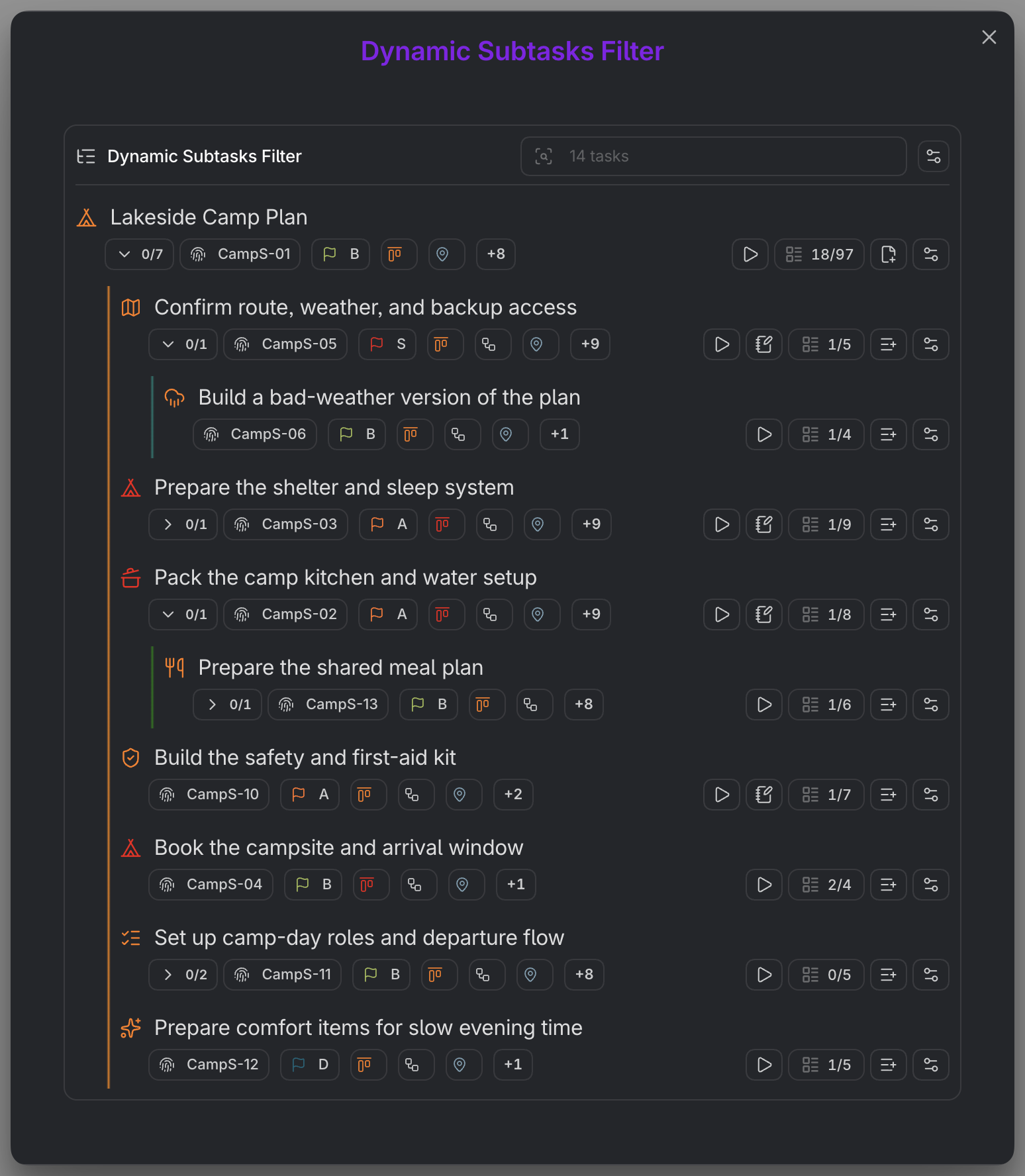
The Dynamic Subtasks Filter opens an instant, focused window onto one task's subtree. Run it on any task that has subtasks and Operon builds a live project tree of just that task's children, locked to the task itself. It is the fastest way to drop into a branch of work without building a filter or leaving the surface you are on.
MEDIA-DOCS-059-1: The Dynamic Subtasks Filter open over a note, showing one task's subtask tree.
How to open it
Run the Subtasks action from a task's contextual menu. Because that menu is available wherever a task appears, you can open the filter from a filter row, a Calendar item, a Kanban card, a pinned task, or an inline task in a note.
MEDIA-DOCS-059-2: The Subtasks action in a task's contextual menu, which opens the filter.
The action appears only when it can do something useful: the task must be open and must actually have subtasks. A leaf task with no children does not show it.
On desktop, this standalone modal shares the Background dimming setting and adds one layer when opened over another included surface. A supported link can open a lightbox above it; Escape returns through the preview before the filter. No Lightbox side controls are added to the filter itself.
The Editor's Subtasks popover, embedded filters, and mobile behavior are separate and are not included in this modal dimming rule.
What it shows
The filter is locked to the task you opened it on. Its one condition is dynamic and cannot be edited: it matches the children of that task's operonId. The result is a self-contained project tree for that branch, and it stays live, so completing or adding a subtask updates the window in place.
How it compares to the Dynamic File Task Filter
The two are siblings: both are operonId-locked subtask filters that Operon builds for you. They differ in surface and trigger.
| Dynamic Subtasks Filter | Dynamic File Task Filter | |
|---|---|---|
| Where it appears | A pop-up window | Embedded in a file task's note body |
| How it opens | On demand, from the Subtasks action | Automatically, in Reading View and Live Preview |
| Works on | Any open task with subtasks, inline or file | File tasks only |
| Settings | Auto-expand, show only open | Enabled, placement, auto-expand, show only open |
Use the Dynamic Subtasks Filter for a quick look at any branch from anywhere. Use the Dynamic File Task Filter when a file task should always carry its subtask tree inside its own note.
Settings
The filter has its own controls in Settings → Operon → Views → Filters → Dynamic Subtasks Filter:
- Auto-expand subtasks: automatically expand the subtask tree when it is at or below the size you choose, so small branches open fully and large ones stay tidy.
- Show only open subtasks: keep finished children out of the window so you see only what is left to do.